VuPlate
PLGet in touch

A REAL SCAN, NOT GENERATED ART

Your dishes, true to size, on the guest’s table.

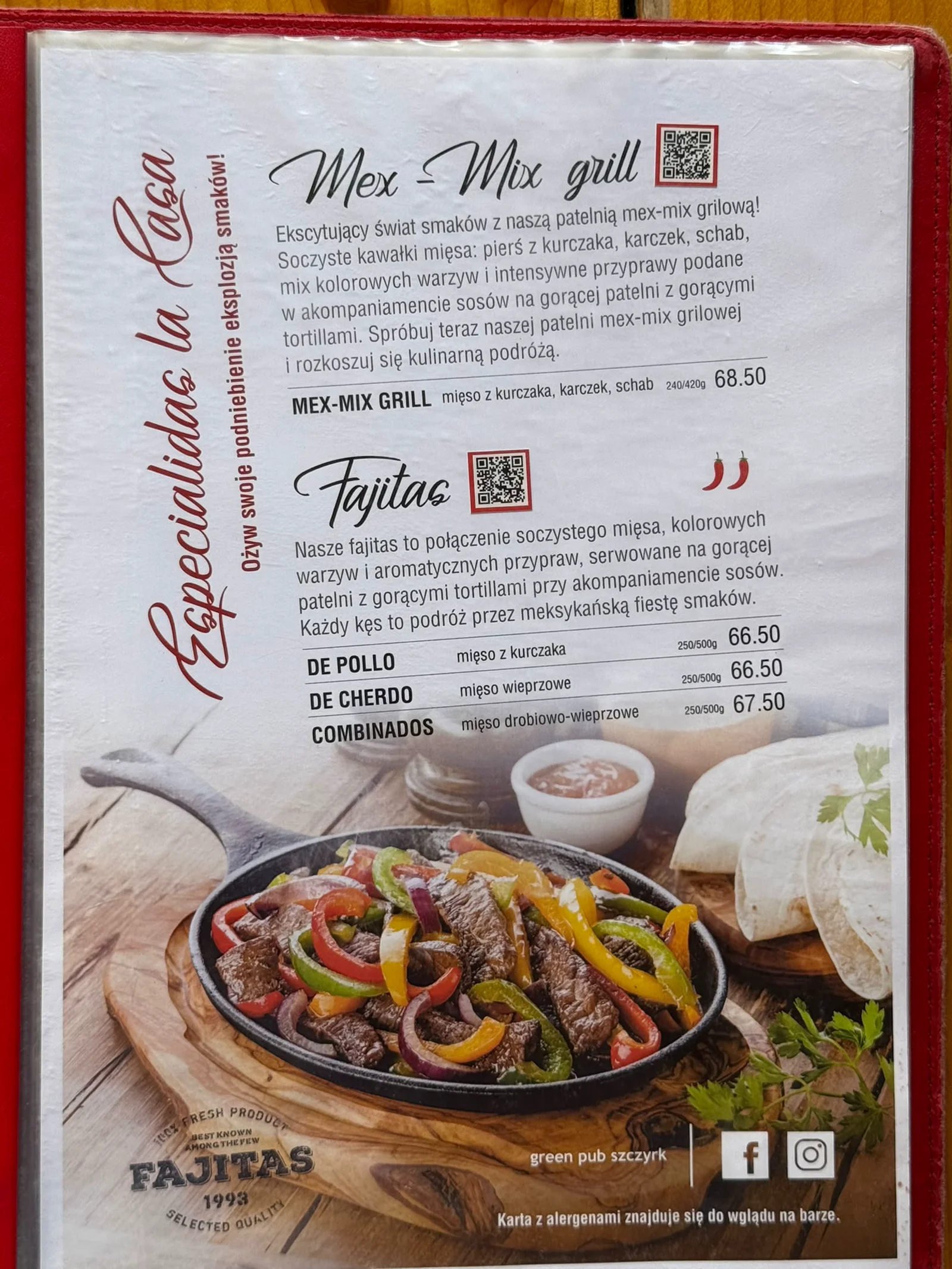
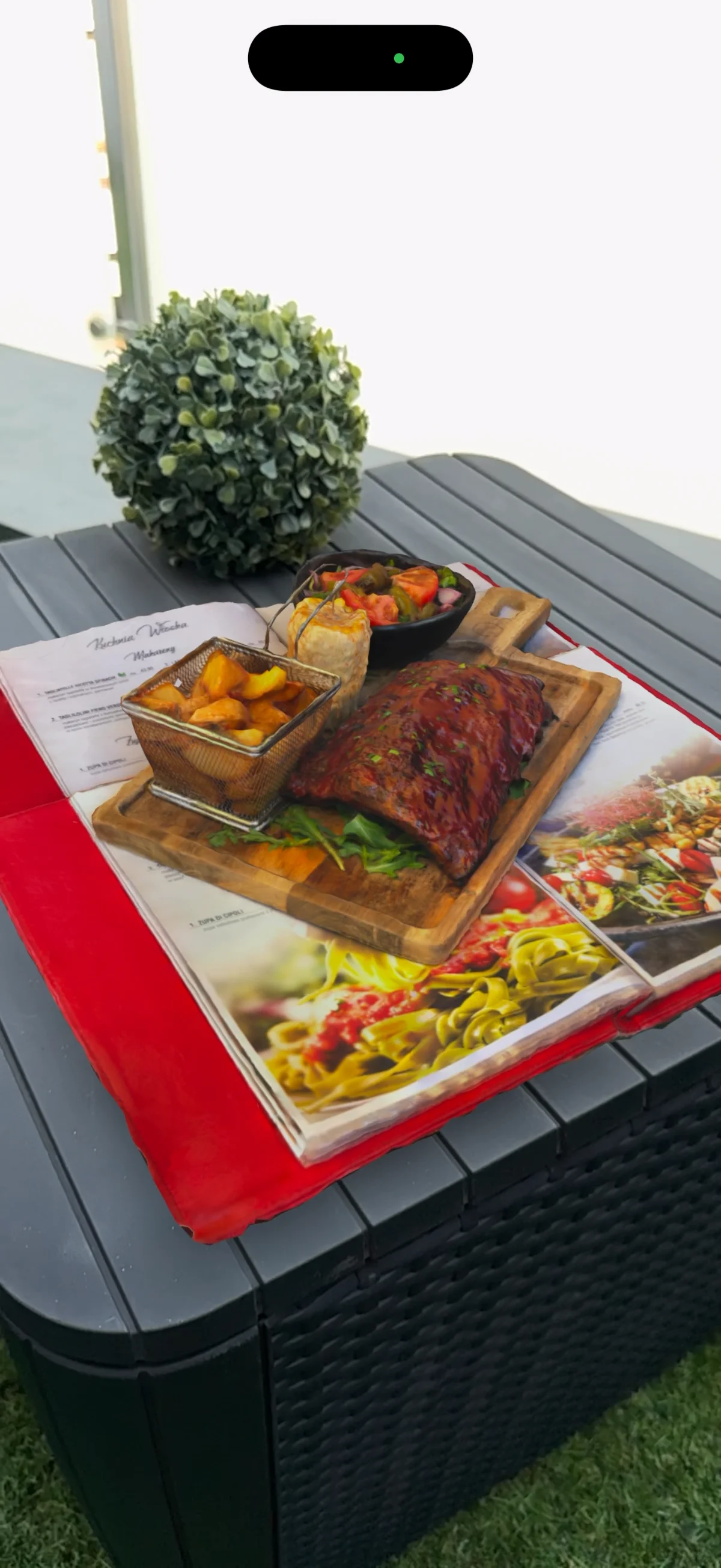
A QR code next to the item on the menu. The guest points their phone camera at it and sees your dish on their own table, exactly as it leaves the kitchen. No app to install, no account to create.

A menu page with QR codes next to the dishes
A dish scanned in AR on a table

FROM THE MENU TO THE TABLE

The menu stays the same. What changes is what the guest sees.

You print one small QR code next to each item: same paper, same cover, same page layout. The guest points a phone camera at it and sees that dish, true to size, on their own table before ordering. The code belongs to the dish for good, so a better model replaces the old one without reprinting the menu.
A WORKING CODE, NOT A PICTURE OF ONE

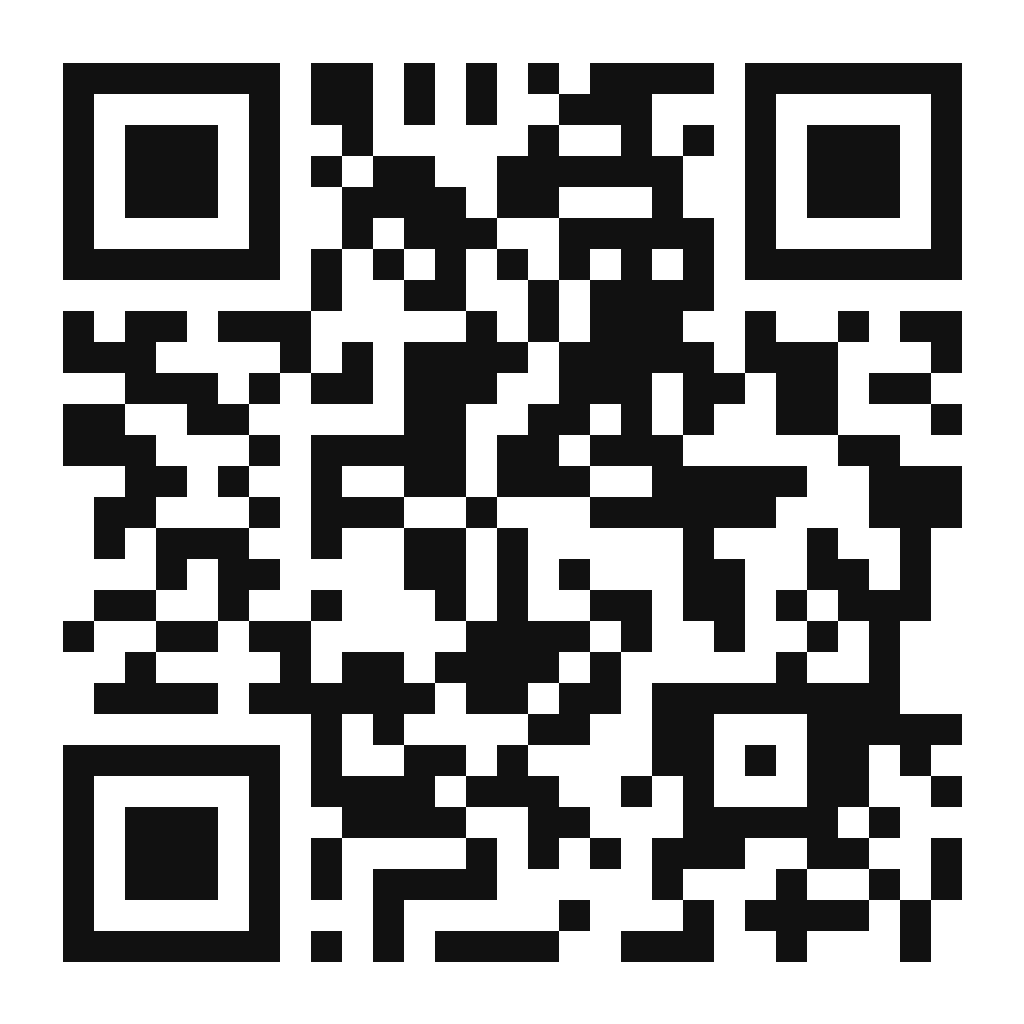
This code is real. Scan it right now.

This is not an illustration of a QR code. It’s a working code, the same kind printed on the menu in the photo above. Point your phone camera at it and tap the notification. In a few seconds a real dish will stand on your table.

The model you’ll see is a scan of a real dish from a real kitchen. We didn’t generate it from a description or from a similar-looking photo. It’s exactly what a guest sees at the table when they scan the code on your menu.

01Phone camera on the code
02Tap the notification
03The dish stands on your table
Kod QR VuPlate

Scan the code with your phone

This is not generated art

The model is built from photographs of your actual dish. Not from a description, not from an AI prompt, not from a similar photo found online.

The guest sees the exact portion that leaves your kitchen. That size, that sauce, that plating, those garnishes. That’s the only reason this works at all.

We started from the other direction. We took photos of dishes from restaurants and turned them into AI-generated models. A graphic designer who saw it said it plainly: it looks fake. He was right, and that’s why we changed the whole approach to a real scan.

Let’s talk about your menu
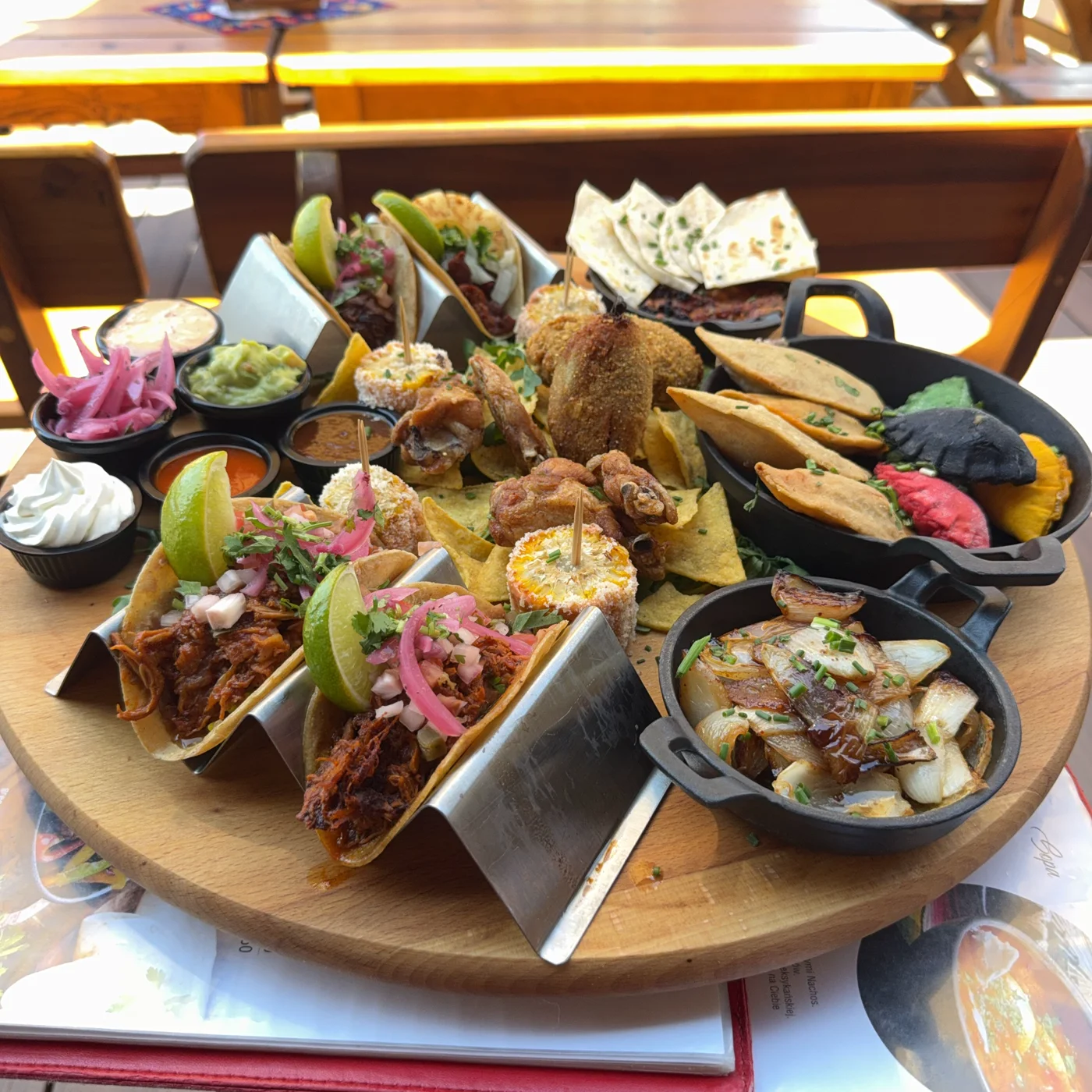
Prawdziwe zdjęcie: Mix meksykańskich przekąsek
Same dish. Drag the slider to move from the photo to the 3D model.
Photo3D model

Specifically, how this works

iPhone

Works through the built-in camera and Safari. The guest scans the code like any other.

Android

Works through Chrome and Google Scene Viewer. Same page, same code, nothing separate to build.

The guest installs nothing

No app, no account, no sign-up, no phone number or email required.

Works the instant the code is scanned

From tapping the notification to the dish on the table takes seconds.

If a guest’s phone is older and doesn’t support placing objects on a surface, they’ll still see the dish in 3D in the browser and can rotate it with a finger.

NOT ONLY AT THE TABLE

A QR code doesn’t have to wait for the guest to sit down

The same code you print on the menu is an ordinary link. You can paste it into an email, into the menu on your website, into a caption on Instagram. The dish appears on the table of someone who hasn’t left home yet.

An offer sent by email

You paste the link into the message and the client puts the dish on their own table before they ever come to you.

The menu on your site, and your profiles

The same code goes into the menu on your website, into your Google profile, into your Instagram bio. You print nothing new, because it’s the same link.

A conversation with the waiter

A guest asks the waiter how big the portion is. Instead of explaining with their hands, the waiter shows the dish on their own phone. The guest doesn’t have to scan anything.

A DEADLINE, NOT A PROMISE

The first dish works in 24 hours

One day from the start. Not a week, not “we’ll let you know”. After a day, the dish we start with has a finished model and its own QR code, and you can scan it and check for yourself.

The deadline covers the digital part: the dish model and the print-ready QR code file. Printing the stickers and putting them on the menu is a separate matter with its own timeline, since it depends on the print shop, not on us.

Who this makes sense for

Works best where the dish looks better than it reads on the menu. Where the guest doesn’t know the cuisine and isn’t sure what to expect. Where portion size is a real selling point. And where people come for an experience, not just a meal.

The questions that come up most often

Depends on how many dishes you want to show. Get in touch, we’ll call and give you a real number once we’ve seen your menu.

The first dish works within a day. The next ones are faster, since the path is already cleared.

No. The code stays the same, only the model underneath it gets swapped.

They’ll see the dish in 3D in the browser and can rotate it with a finger. It won’t appear on their table, but they’ll see everything around it.

No. Just the phone camera and browser they already have.

A few dishes from your menu you want to start with. We’ll work out the rest in conversation.

The QR code higher up on this page leads to a real scan of a real dish from a working restaurant. It’s not a showcase example made in a studio. We’ll tell you plainly which of your dishes will scan well and which won’t.

Show people your dishes

A menu lists a name and a price. It doesn’t show portion size, appearance, or the work behind it. Your kitchen does work the guest never sees until they order.

Get in touch. We’ll call back and show you what it looks like on your dish.

Kod QR VuPlate

Mix meksykańskich przekąsek

Email and phone are required, because some things are easier to explain by phone than by email.

VuPlate is built by PMFOR Paweł Pasterak, a sole proprietorship based in Poland. Contact: contact@vuplate.com. We’ll use your email and phone number to respond to this request and present an offer. You can ask us to delete your data at any time by writing to the same address.